
In our hyper-connected world of 2026, most of us spend upwards of ten hours a day staring at digital displays. Whether you are working on a high-resolution workstation, scrolling through your smartphone, or gaming on a tablet, the constant exposure to smart screen glare is a leading cause of digital eye strain, making digital eye strain prevention a critical concern. If you have been experiencing headaches, blurred vision, or dry, irritated eyes, you are likely suffering from Computer Vision Syndrome (CVS).
Protecting your vision is no longer just about comfort; it is a necessity for long-term ocular health, emphasizing the importance of regular eye exams and proactive eye care tips. By implementing science-backed strategies, you can transform your digital workspace into an ergonomic haven. This guide explores the most effective, actionable Best practices for protecting your eyes from smart screen glare, helping you mitigate glare and keep your eyes feeling refreshed throughout the day.
Understanding the Impact of Screen Glare
Screen glare occurs when light—either from overhead bulbs or sunlight—bounces off your display and competes with the light emitted by the screen itself. This forces your eyes to work harder to focus, leading to rapid fatigue, highlighting the need for effective strategies for preventing eye fatigue. As we progress through 2026, screen technology has improved, but the intensity of our usage has increased, making screen time management and Best practices for protecting your eyes from smart screen glare and overall glare reduction more vital than ever.
Optimize Your Environment and Lighting
The first line of defense against eye strain and a key component of Best practices for protecting your eyes from smart screen glare is your physical environment. Many people set up their workstations without considering the direction of light sources, which is a major mistake.
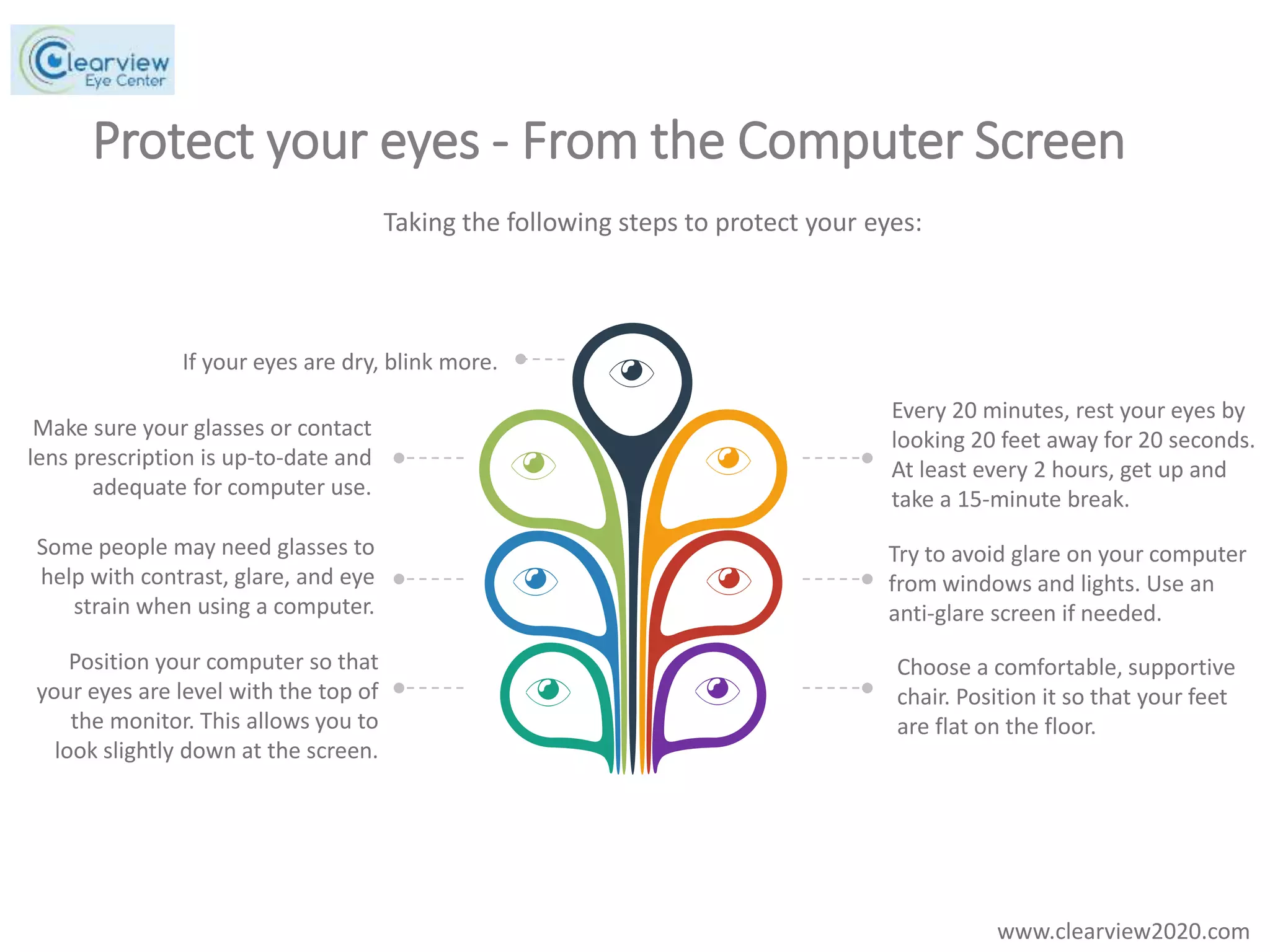
Positioning Matters: Never place your monitor directly in front of or behind a window. Natural light creates intense contrast that forces your eyes to constantly adjust. Instead, place your screen perpendicular to the window to minimize reflection.
Ambient Lighting: Avoid working in a pitch-black room with only your screen as a light source. This high-contrast environment is taxing on your ocular muscles. Use soft, indirect overhead lighting to balance the room’s brightness with your monitor.
Matte Screen Filters: If you work in an office with fluorescent lighting, consider installing a matte screen filter. These filters, along with specialized anti-glare screens, are designed to diffuse light, effectively cutting down on the mirror-like reflections that cause squinting.
Fine-Tuning Your Device Settings
Modern displays are incredibly customizable, yet most users stick to default settings that are far too bright for indoor use. Adjusting your settings is one of the easiest ways to improve visual comfort and implement Best practices for protecting your eyes from smart screen glare.
- Brightness Equilibrium: Your screen brightness should match the ambient light of your room. If your screen looks like a light source in a dark room, it is too bright. If it looks dull or gray, it is too dim.
- Contrast and Color Temperature: Increase the contrast to make text stand out against the background, reducing the need to strain to read. In 2026, most operating systems offer “Night Mode” or “Blue Light Filters.” Enable these to shift your screen toward warmer, amber tones, which are significantly easier on the eyes during evening hours, helping to mitigate the effects of blue light exposure.
- Text Size and Zoom: Do not settle for tiny fonts. Increase your browser and system-wide font size to ensure you are not leaning forward, which creates poor posture and exacerbates eye fatigue.
The Science of Rest: The 20-20-20 Rule
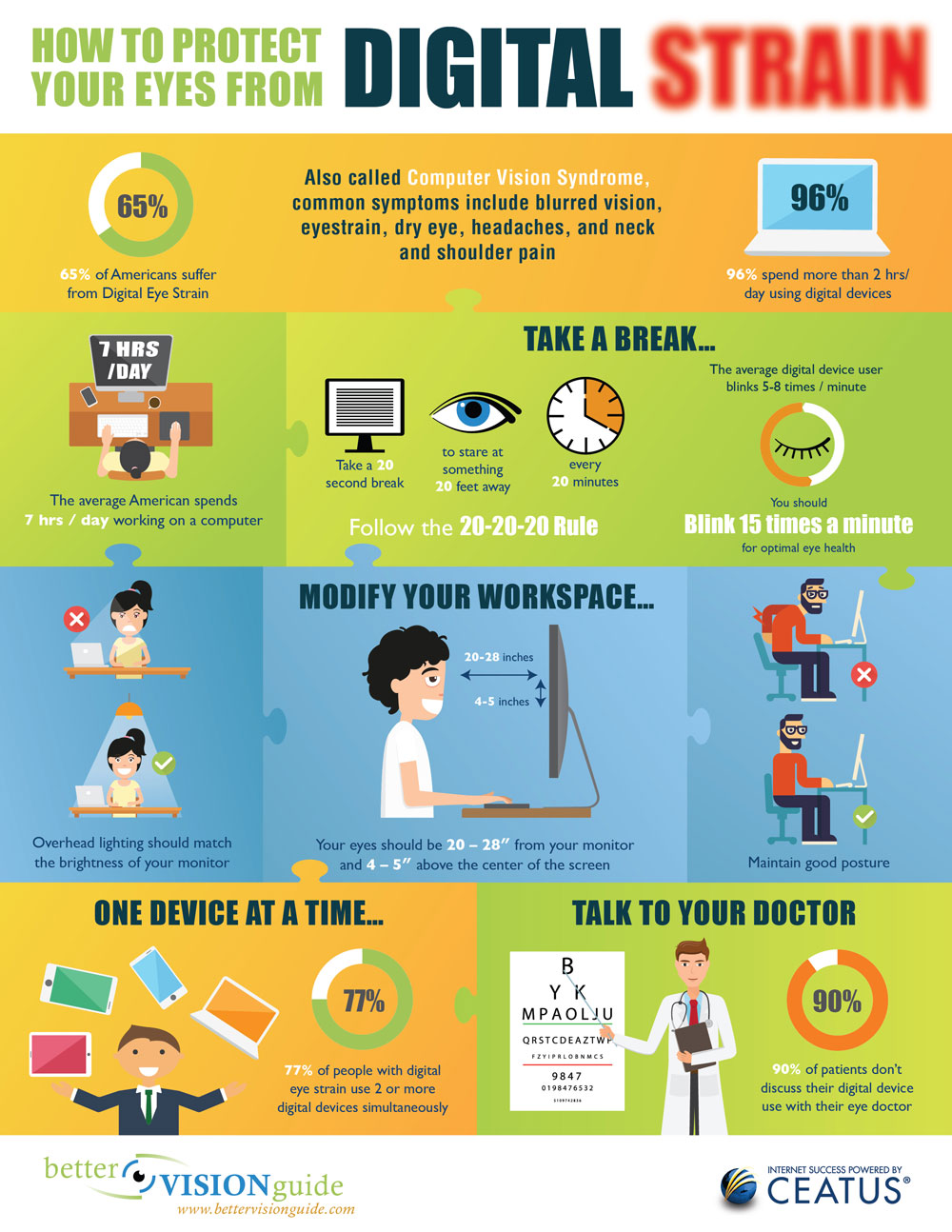
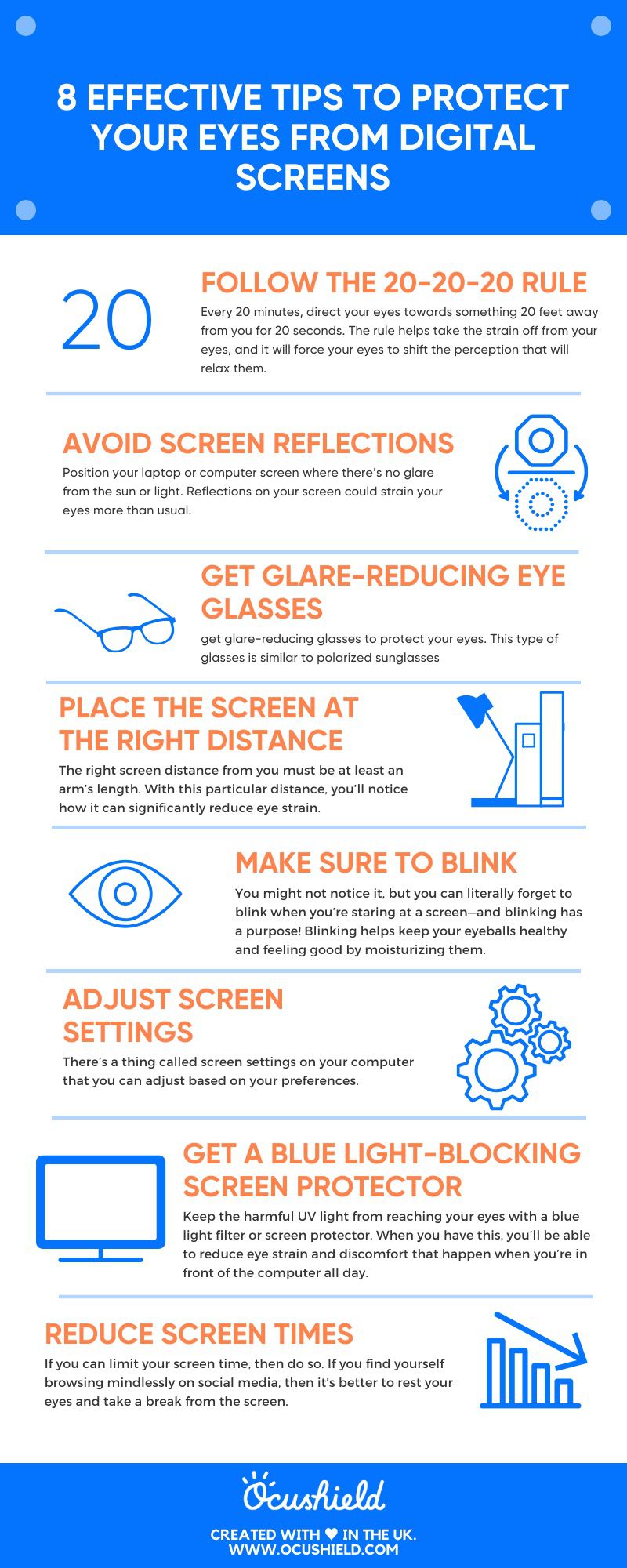
Even with the perfect setup, your eyes need a break. The 20-20-20 rule is an industry-standard recommendation from optometrists worldwide and a crucial part of Best practices for protecting your eyes from smart screen glare, offering significant eye strain relief. Every 20 minutes, take a 20-second break to look at something at least 20 feet away, and remember to practice conscious blinking to keep your eyes moist.
This simple habit forces your eyes to break their fixed focus, allowing the ciliary muscles to relax. By doing this throughout the day, you significantly reduce the cumulative stress that leads to blurred vision by the time you clock out.
Ergonomics and Specialized Eyewear
Sometimes, external tools are necessary to provide the relief your eyes crave and to fully implement Best practices for protecting your eyes from smart screen glare, enhancing overall visual ergonomics. If you find that environmental and settings adjustments aren’t enough, consider these specialized solutions:
Computer Eyeglasses: Unlike standard reading glasses, computer glasses are specifically optimized for the intermediate distance of a monitor. Many versions include anti-reflective (AR) coatings that eliminate the glare that standard lenses might catch.
- Monitor Ergonomics: Ensure your monitor is placed at arm’s length (roughly 20 to 28 inches) from your face. The top of the screen should be at or slightly below eye level. This position encourages a slight downward gaze, which naturally helps keep your eyes from drying out by reducing the surface area exposed to the air.
Conclusion: Make Eye Health a Daily Habit
Protecting your eyes from smart screen glare in 2026 is about consistency and proactive eye care tips. It isn’t just about changing a setting once; it is about cultivating a workspace that prioritizes your biological needs over pure digital convenience. By managing your ambient lighting, utilizing anti-glare technology, and strictly following the 20-20-20 rule, you are actively applying Best practices for protecting your eyes from smart screen glare, preventing eye fatigue, and can maintain sharp vision and comfort regardless of how much time you spend in front of a screen. Start making these small adjustments today, and your eyes will thank you for years to come.