
In 2026, the era of juggling a dozen different plastic remotes is officially over. Your smartphone has evolved from a simple communication device into a centralized command center for your entire digital and physical life, controlling all your smart home devices. This evolution highlights the growing importance of understanding how to use your smartphone as a master remote for life services. Whether you want to dim the lights, start your robotic vacuum, or adjust your home climate before you even walk through the door, your phone is the ultimate universal remote control.
By leveraging advanced connectivity protocols, the backbone of the Internet of Things (IoT), your mobile device can now communicate with almost any smart appliance. This guide will walk you through how to use your smartphone as a master remote for life services, helping you master your home environment.
Understanding the Technology Behind the Remote
To truly grasp how to use your smartphone as a master remote for life services, you must first understand how it talks to your devices. In 2026, the integration of Matter and Thread protocols has made this process seamless, but most devices still rely on three primary connection methods:
Wi-Fi and Cloud Integration: Most modern smart appliances, such as smart TVs, refrigerators, smart lighting systems, and climate control systems, connect via your home Wi-Fi network. You control these through dedicated apps or centralized hubs.
Bluetooth Low Energy (BLE): Ideal for local devices like smart locks, speakers, and personal fitness gear, Bluetooth provides a secure, low-power connection.
Infrared (IR) Blasters: While fewer phones have built-in IR blasters today, you can easily purchase a smart IR hub, acting as a centralized digital hub, that connects to your Wi-Fi and bridges the gap between your phone and traditional IR-based devices like older TVs or air conditioners.
Setting Up Your Master Remote Ecosystem
Understanding how to use your smartphone as a master remote for life services and setting up its home automation systems ecosystem is easier than ever. Follow these steps to consolidate your control:
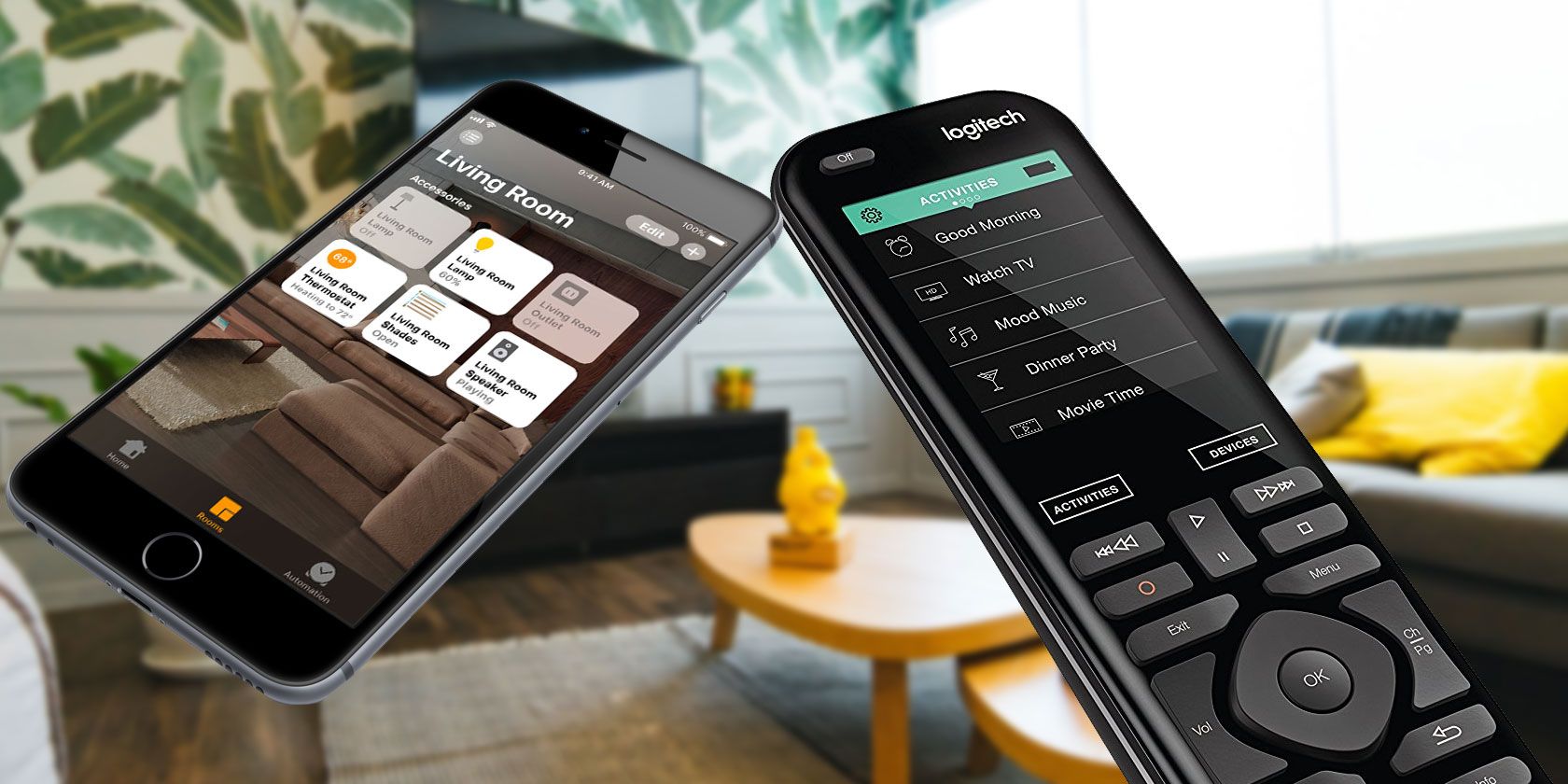
- Choose a Centralized App: Instead of downloading fifty separate apps, use a unified smart home platform. In 2026, apps like Google Home, Apple HomeKit, and Samsung SmartThings are the gold standard for aggregating all your services into one interface.
- Verify Device Compatibility: Ensure your hardware supports the same ecosystem. Look for the “Matter” logo on product packaging to guarantee cross-platform compatibility and interoperability between different brands.
- Configure Scenes and Routines: The real power of a “master remote” is automation, enabling a truly personalized smart home experience. Set up “Scenes” such as “Movie Night” (dims lights, lowers blinds, turns on TV) or “Leaving Home” (locks doors, adjusts thermostat, turns off appliances).
Controlling Beyond the Living Room
Your smartphone’s role as a remote has expanded far beyond the television, demonstrating how to use your smartphone as a master remote for life services for almost every aspect of your life through your screen.
Smart Home Climate and Security
Manage your home’s security system directly from your phone. You can view live camera feeds, lock or unlock doors remotely, leveraging your phone’s remote access capabilities, and receive instant alerts if motion is detected. Similarly, smart thermostats allow you to adjust temperatures based on your arrival time, significantly improving energy efficiency and saving on energy costs.
Entertainment and Media Management
Streaming services are now fully integrated into mobile interfaces. You can “cast” content from your phone to any screen in the house with a single tap. Advanced media management apps allow you to control sound systems, synchronizing audio across multiple rooms for a seamless home audio experience.
Appliance and Utility Control
Smart plugs allow you to turn “dumb” appliances into “smart” ones. By plugging a coffee maker or a floor lamp into a smart plug, you can control them via your phone app, effectively turning your smartphone into a remote for your entire house.
Best Practices for Security and Efficiency
With great power comes the need for great security, especially when considering how to use your smartphone as a master remote for life services. When your phone acts as the master key to your home, you must prioritize digital safety.
Enable Biometric Authentication: Always use FaceID or fingerprint scanning to unlock your smart home apps.
Update Firmware Regularly: Ensure that your smart hubs and connected devices are running the latest software to protect against vulnerabilities.
Use Two-Factor Authentication (2FA): Protect your cloud-based smart home accounts with 2FA to prevent unauthorized access from external sources.
The Future of Remote Control: AI Integration
As we progress through 2026, Artificial Intelligence is taking the “remote” experience, and indeed how to use your smartphone as a master remote for life services, to the next level. Your smartphone is no longer just a digital button; it is becoming an anticipatory assistant, often responding to your voice commands. Your phone can now learn your habits, suggesting adjustments to your smart lights or thermostat before you even think to ask.
The goal of the master remote is to remove the “friction” of daily life. By automating routine tasks and centralizing control, you regain precious time and simplify your living space.
Conclusion
Learning how to use your smartphone as a master remote for life services is the ultimate upgrade for any modern homeowner. By selecting the right ecosystem, ensuring device compatibility, and focusing on security, you can create a home that responds to your touch—or even your presence—effortlessly. Start by consolidating your devices into a single app today and experience the convenience of total control right from your pocket.